
One little ping.
A lot of peace
of mind.
A simple daily check-in for you. A little reassurance for the people who care about you. Daily Ping keeps you connected, one tap at a time.
A moment for you.
Reassurance for them.
Life gets busy. Staying connected can still be simple. Here’s how Daily Ping fits into your day.
- 01
Make your daily ping.
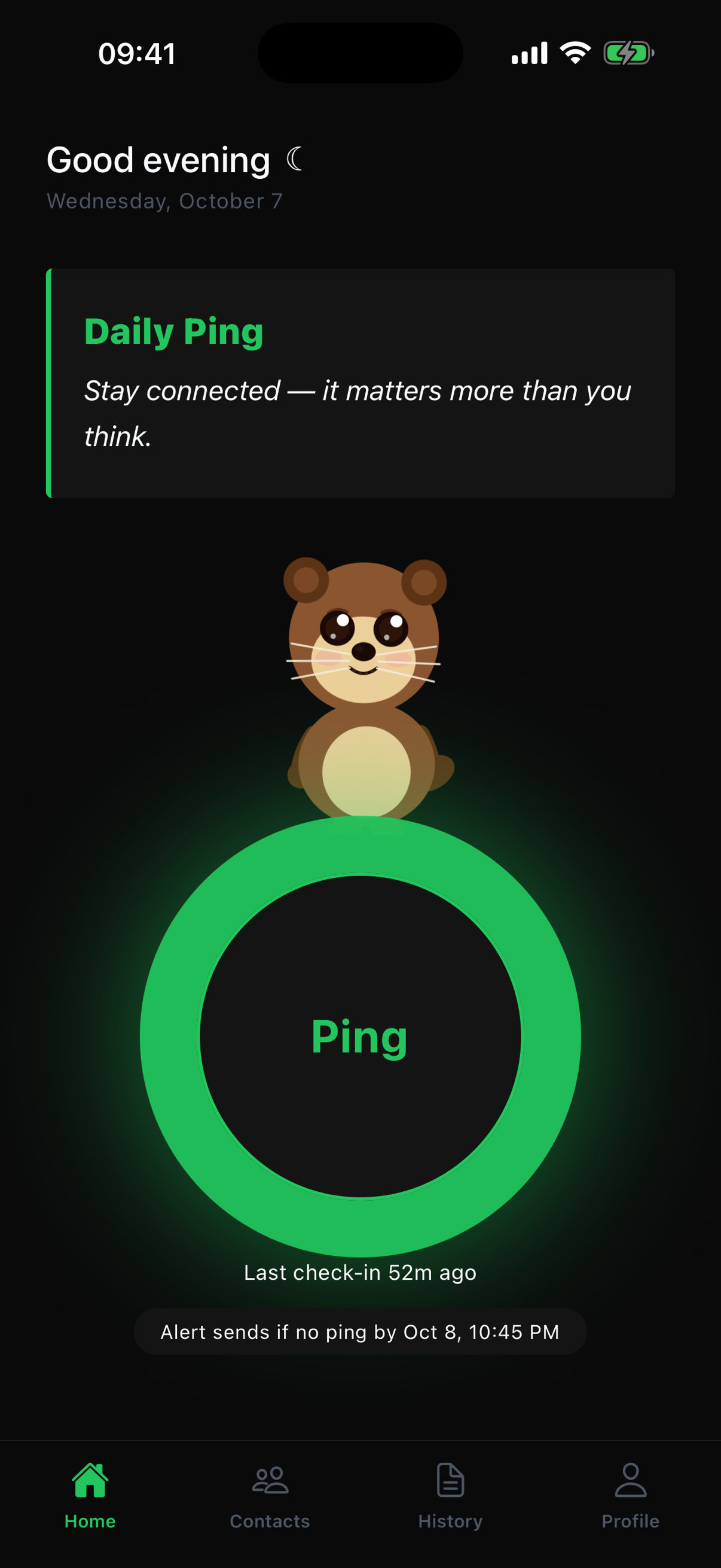
Open the app and tap Ping to check in. Your home screen shows your last check-in and when an alert will be sent if you don’t ping.
- 02
Choose your people.
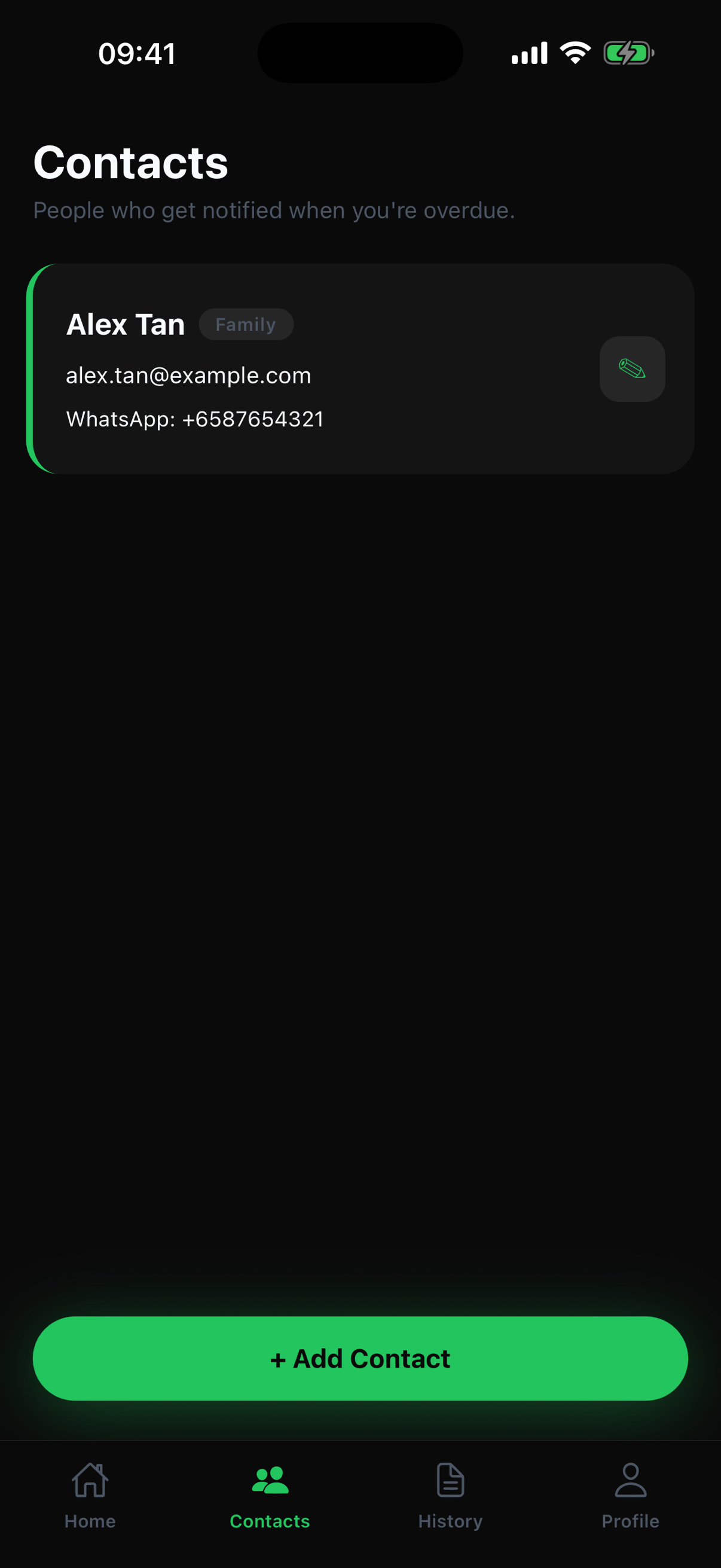
Add the family members, friends, or other trusted people you want to hear from the app when a check-in is overdue.
- 03
Let your safety net know.
If you miss your check-in, Daily Ping notifies your trusted contacts so they know to reach out to you.
Familiar faces.
Thoughtful little details.
Take a tour of the actual app. From your first sign-in to your everyday check-in, everything has its place.
Select a screenshot for a closer look. Swipe to explore all six screens.
A tap that says “I’m here.”
Your daily ping, your last check-in, and your next alert deadline, all in one place.
Your people, close by.
Add and manage the people who get notified when your check-in is overdue.
A little record of your days.
Look back at your check-ins and find records by day, week, or month.
Your details, together.
Manage your name and contact information, with an optional address for extra context.
Make yourself at home.
Find language and theme preferences, sign out, or delete your account from Settings.
A familiar way to begin.
Start with Sign in with Google or Sign in with Apple, right from the welcome screen.
Connection starts
with trust.
Your personal data is not sold. You choose your trusted contacts, and you can delete your account and all account data through Profile → Settings → Delete account.
Read our Privacy PolicyWhat happens if I miss a check-in?
Daily Ping notifies your chosen trusted contacts when your check-in is overdue. The home screen shows the deadline for your next ping.
Who should I add as a trusted contact?
Choose someone you trust to reach out to you, such as a family member or friend. Let them know and get their permission before adding their contact details.
How do I delete my account?
Open Profile, go to Settings, and select Delete account. This removes all your Daily Ping account data. If you need help, email support@dailyping.net.
We’re here for
your everyday questions.
Get in touch with the Daily Ping team for app enquiries, support, or feedback.